
Authentication and API keys
Create a key, send it in one header, and limit it to the drives and the actions that your code needs.
The API accepts one kind of credential: one of your team's API keys, sent in the Authorization header.
curl https://byterover.ai/api/v1/key \
-H "Authorization: Bearer $BYTEROVER_API_KEY"| Fact | Value |
|---|---|
| Base address | https://byterover.ai/api |
| Header | Authorization: Bearer brv_... |
| Key format | brv_ and 43 characters |
| Who can create a key | A team owner or admin |
Create a key
Open your team's API keys
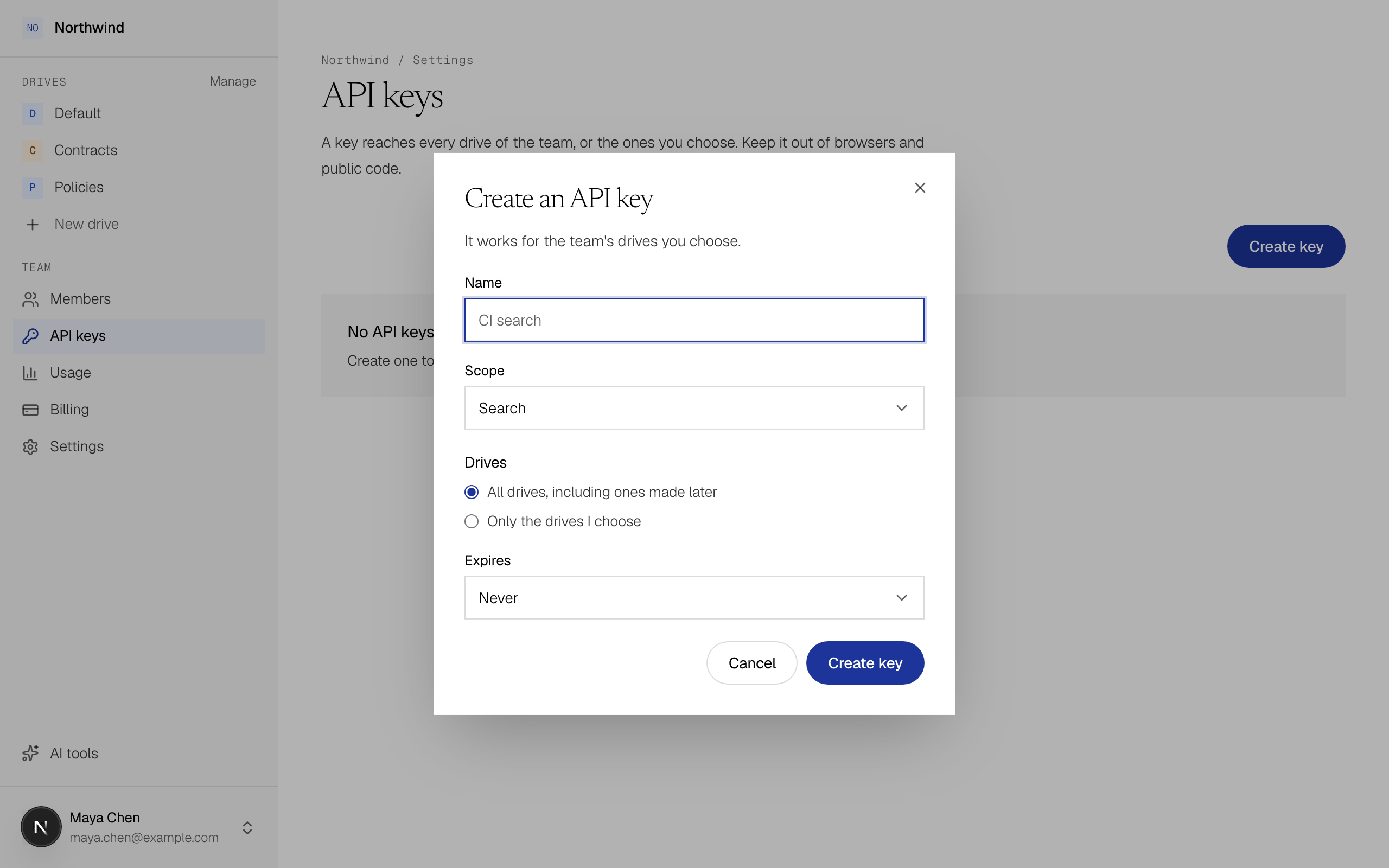
In ByteRover, select API keys under Team in the sidebar, then select Create key.
Set what the key can do
| Field | Choices |
|---|---|
| Name | Where the key is used, such as "CI search". Up to 100 characters. |
| Scope | Search can search and read files. Read and write can also add, change and delete files. |
| Drives | All shared drives, including ones made later, or Choose shared drives. A key never reaches anyone's My Drive. |
| Expires | Never, In 30 days, In 90 days or In a year. |
Save the secret
The Save your key dialog shows the secret only once, so copy it into your secret store now. ByteRover keeps just a hash and can't show it to you again.
Give a key the least access
Give each key only what its program needs.
| Your program | Scope | Drives |
|---|---|---|
| An agent or a product that answers questions | Search | Only the drives that hold its answers |
| A job that keeps a drive current | Read and write | Only that drive |
| A script you run once | Read and write, with Expires set to 30 days | Only the drives it changes |
In the API, the two scopes look like this:
| Scope | Name in the API | The key can call |
|---|---|---|
| Search | search | Search, and every read operation: list and get drives, folders and documents, read a document, get an operation, get the key. |
| Read and write | read_write | Everything above, plus every operation that changes content: uploads, small text documents, tags, moves, deletes and folders. |
Check a key
GET /v1/key returns the key that made the request and the drives it can currently reach. Call it when your program starts.
curl https://byterover.ai/api/v1/key \
-H "Authorization: Bearer $BYTEROVER_API_KEY"{
"apiKey": {
"id": "key_8m3n5p7q9r2s4t6v8w0x",
"teamId": "org_7Hq1",
"name": "CI search",
"start": "brv_Qx7k2mP9",
"scope": "search",
"driveAccess": { "mode": "selected", "driveIds": ["drv_4h7k2m9q8r1t5v6w3x0y"] },
"expiresAt": null,
"createdAt": "2026-11-10T09:12:44.000Z",
"lastUsedAt": "2026-11-10T09:30:02.000Z",
"createdBy": "usr_9fK2mQ7xT4"
},
"drives": [
{ "id": "drv_4h7k2m9q8r1t5v6w3x0y", "name": "Policies", "file_count": 64, "searchable_file_count": 64, "index_status": "ready" }
]
}The example shows only some of each drive's fields. start holds the first characters of the secret, which helps you tell your keys apart.
Change or revoke a key
| To | Do this |
|---|---|
| Change the drives | On API keys, select Drives in the row of the key. |
| Change the name, the scope or the expiry | Create a new key and revoke the old one. |
| Stop a key | Select Revoke, then Revoke key. Every program using the key stops working immediately, and this can't be undone. |
When someone is removed from the team, the keys they created stop working. Before you remove a person, create new keys for any programs that use theirs.
What you get when a key is wrong
| Status | Code | Cause |
|---|---|---|
| 401 | UNAUTHENTICATED | The key is missing, wrong, revoked or expired. |
| 403 | FORBIDDEN | A key with the Search scope made a call that changes content, or a search named a drive the key can't reach. In the second case, drive_ids in the error lists those drives. |
| 404 | NOT_FOUND | The call targets a drive, document or upload the key can't reach. ByteRover doesn't say whether the ID exists. |
See Errors and retries.
Keep a key safe
Keep the secret in a secret store or an environment variable, never in code or in a client that runs in a browser. Use a separate key for each program so you can revoke one without affecting the others.