
Quickstart: the app
Upload a file, ask a question, and read the passage in its source. No code.
Before you start
Pick a file you know well, such as a policy, a contract, a specification or a runbook, so you can judge whether the answer is right.
Upload and ask
Sign in
Go to byterover.ai/sign-in and select Continue with GitHub or Continue with Google. To get a sign-in link by email instead, select Continue with email instead. If you don't have an account yet, the same buttons create one.
Name your team
On What should we call you?, type your name and select Continue. On Name your team, fill in Team name and Address, the part after byterover.ai/ in your team's links, then select Create team. The team starts with one drive, named Default.
Your first team also comes with a balance for searches and 1 GB of storage, and you don't need a card.
Upload your file
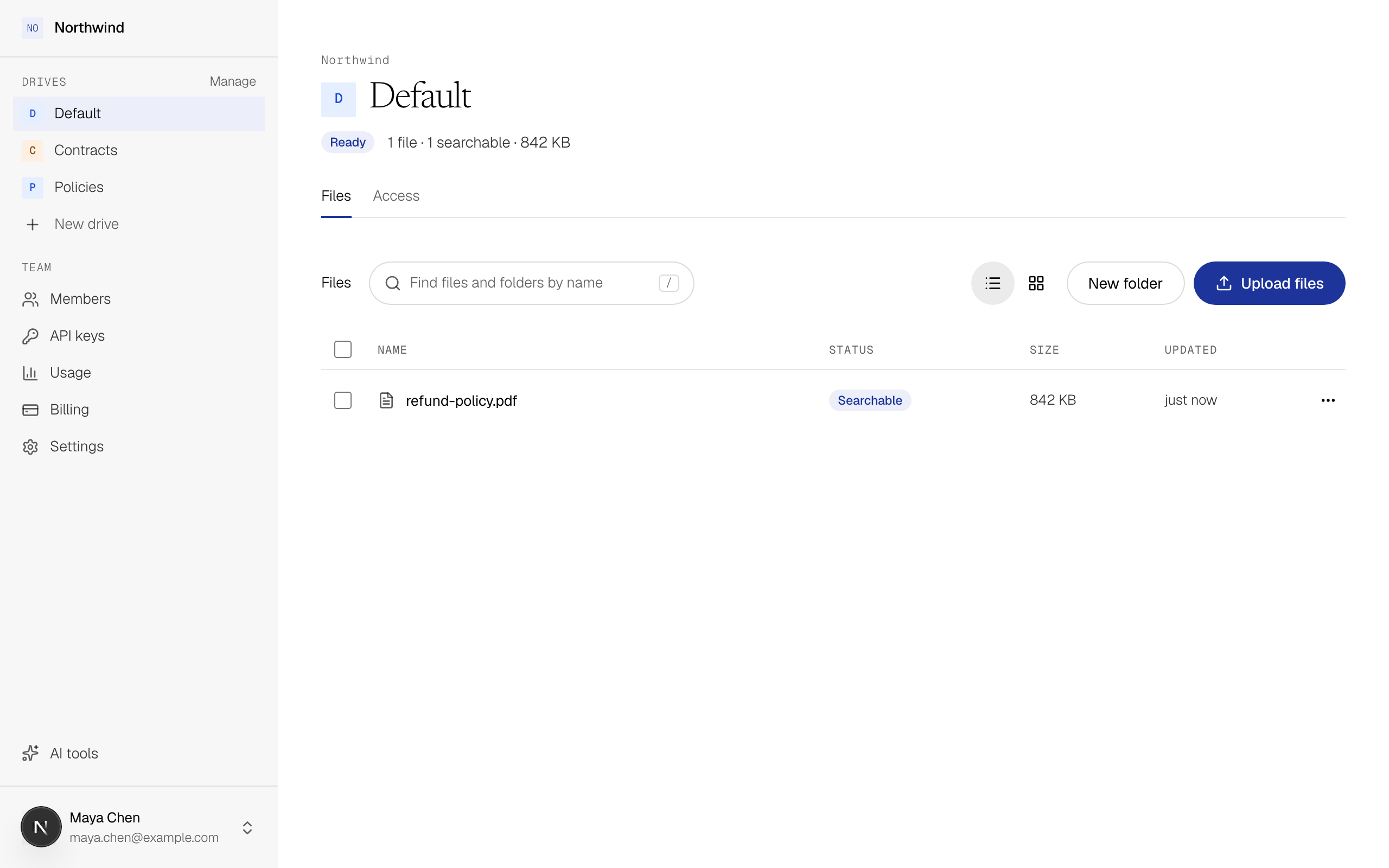
In My Drive, select Upload files, or drop files or a whole folder onto the page.
Wait for Searchable
The file's Status changes as ByteRover reads it. Once it says Searchable, you can ask about it.
Ask your question
Select Ask at the top of the drive (or Ask ByteRover in the sidebar), type a question your file answers in plain language, and select Ask.
Which policy section covers EU refunds?Check that it worked
The result has two parts: an answer with a number such as [1] after each sentence, and the passages those numbers point to. Each passage shows its page and the headings above it. Select a passage to open the file at that spot and read the original wording.
Ask a question that has no answer
Now ask about something your file doesn't cover, such as "Is there a policy on drone inspections?" You get "not found", which means the answer isn't in the files you searched. ByteRover doesn't guess.
If it fails
Next
- Share a drive: give a teammate access to your files.
- Connect your agent: let Claude, ChatGPT, Cursor or another agent ask the same files.
- Results: more on passages, cited answers and "not found".